How to add page numbers during converting Excel to PDF in C# and .NET
Converting Excel to PDF is a popular task for automating document workflow, data exchange, and creating professional reports. Page numbering is especially important, helping to structure documents and make them easier to view and print. In this article, we'll explain how to use the Excel to PDF .NET from SautinSoft library to automatically add page numbers when converting Excel to PDF, making your workflow as efficient and convenient as possible.
Sectors that use this solution:
- Corporate reports: large companies regularly create PDF documents for internal and external communications.
- Document automation in ERP, CRM, and BI systems.
- Government agencies preparing and sending documents with correct page numbers.
- Educational institutions preparing educational materials, coursework, and public reports.
- Legal practice preparing documents with accurate page numbers.
Input file:
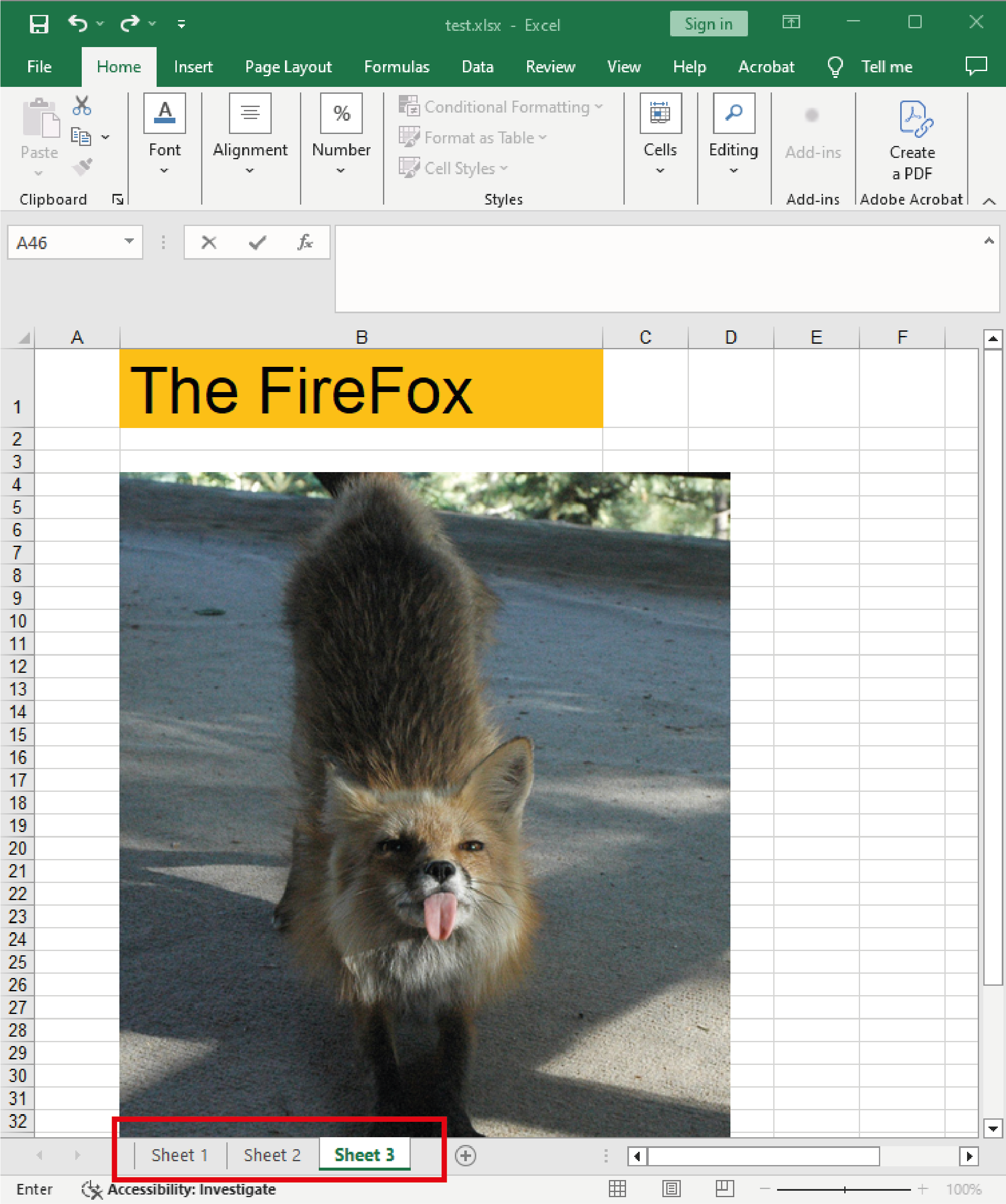
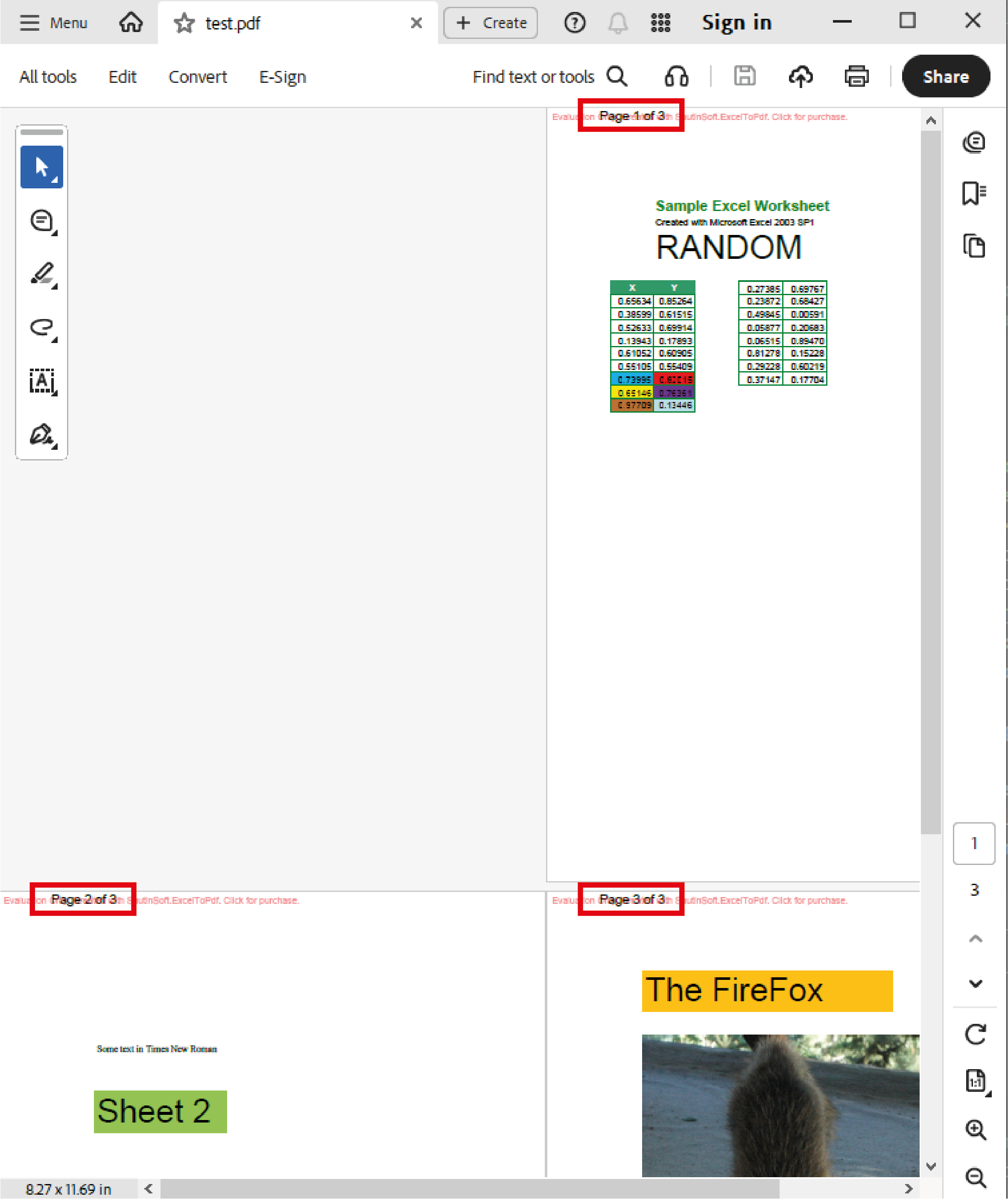
Output result:
Complete code
 GitHub
using System;
using System.IO;
using SautinSoft;
namespace Sample
{
class Sample
{
static void Main(string[] args)
{
// Add page numbers in the resulting PDF.
ExcelToPdf x = new ExcelToPdf();
// Set PDF as output format.
x.OutputFormat = SautinSoft.ExcelToPdf.eOutputFormat.Pdf;
// Set page numbers in format "Page 1 of N" formatted by Arial, 14 pt.
x.PageStyle.PageNumFormat.Text = "Page {page} of {numPages}";
x.PageStyle.PageNumFormat.FontFace = "Arial";
x.PageStyle.PageNumFormat.FontSize = 14;
string excelFile = Path.GetFullPath(@"..\..\..\test.xlsx");
string pdfFile = Path.ChangeExtension(excelFile, ".pdf"); ;
try
{
x.ConvertFile(excelFile, pdfFile);
System.Diagnostics.Process.Start(new System.Diagnostics.ProcessStartInfo(pdfFile) { UseShellExecute = true });
}
catch (Exception ex)
{
Console.WriteLine(ex.Message);
Console.ReadLine();
}
}
}
}
Imports System
Imports System.IO
Imports SautinSoft

Module Sample

    Sub Main()
        ' Add page numbers in the resulting PDF.
        Dim x As New ExcelToPdf()

        ' Set PDF as output format.
        x.OutputFormat = SautinSoft.ExcelToPdf.eOutputFormat.Pdf

        ' Set page numbers in format "Page 1 of N" formatted by Arial, 14 pt.
        x.PageStyle.PageNumFormat.Text = "Page {page} of {numPages}"
        x.PageStyle.PageNumFormat.FontFace = "Arial"
        x.PageStyle.PageNumFormat.FontSize = 14

        Dim excelFile As String = Path.GetFullPath("..\..\..\test.xlsx")
        Dim pdfFile As String = Path.ChangeExtension(excelFile, ".pdf")

        Try
            x.ConvertFile(excelFile, pdfFile)
            System.Diagnostics.Process.Start(New System.Diagnostics.ProcessStartInfo(pdfFile) With {.UseShellExecute = True})
        Catch ex As Exception
            Console.WriteLine(ex.Message)
            Console.ReadLine()
        End Try
    End Sub
End Module
If you need a new code example or have a question: email us at support@sautinsoft.com or ask at Online Chat (right-bottom corner of this page).